Telling people to stay vigilant isn’t an effective strategy for the future of online payments and communications.

Link Verifier is a new way to protect your customers from fraud and targeted phishing attacks.

With one MetaCert Zero Trust SDK integration, your app automatically delivers Link Verifier into the phone’s native share menu across every app your customers already use.

It’s time to make it easy for customers verify legitimate payment requests, login pages, app downloads, and other links before opening them, instead of relying on guesswork.

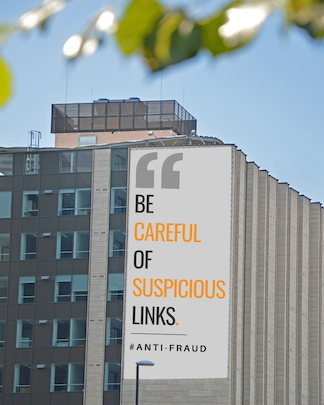
A tall city building with a large billboard that reads “Be careful of suspicious links. #Anti-Fraud.”

Link Verifier is a new way to protect your customers from fraud and targeted phishing attacks.

Telling people to stay vigilant isn’t an effective strategy for the future of online payments and communications.

A tall city building with a large billboard that reads “Be careful of suspicious links. #Anti-Fraud.”

With one MetaCert Zero Trust SDK integration, your app automatically delivers Link Verifier into the phone’s native share menu across every app your customers already use.

It’s time to make it easy for customers verify legitimate payment requests, login pages, app downloads, and other links before opening them, instead of relying on guesswork.

It's time to go beyond advice and make it easy for customers to verify the safety of links before they trust the wrong one.

It's time to go beyond advice and make it easy for customers to verify the safety of links before they trust the wrong one.

The security industry is failing you

Cybercrime is projected to rise from $1T to $15T by 2029 because phishing protection doesn’t work as advertised.

Traditional security can’t and won’t stop new phishing scams. It relies on threat detection, which only works after someone’s already been tricked, harmed, and reported the attack.

If conventional security worked, customers wouldn’t be told to stay vigilant. They’d be directed to a service that actually keeps them safe.

When a new scam appears, customers are forced to rely on instinct. Outcomes depend on timing and luck, not protection.

They’re left making decisions technology should’ve already made for them.

Make it fast and easy for your customers to verify the safety of links before opening them

Instead of trying to detect scams that haven’t been reported, MetaCert makes it easy for people to confirm when links are verified as legitimate.

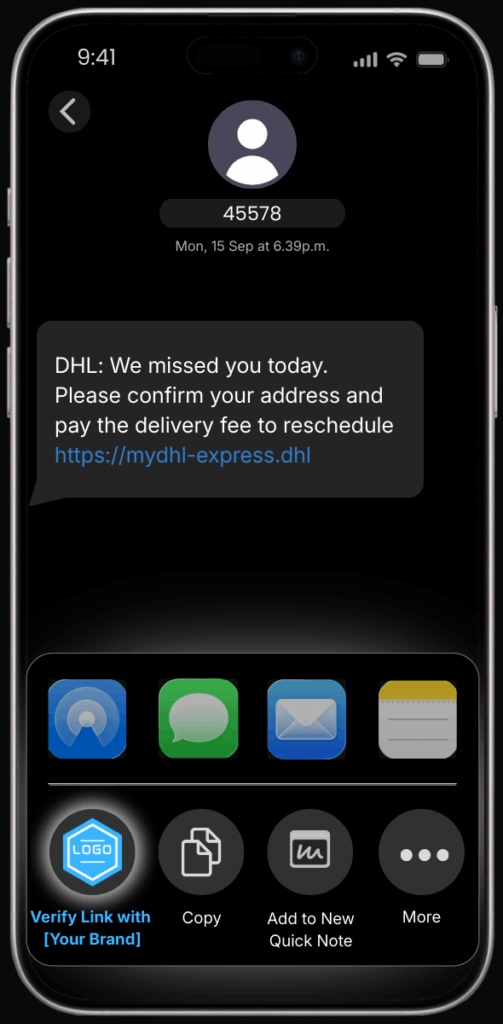
Most people delete messages like this because the link looks suspicious

iPhone Messages screen showing a text from number 45578 claiming to be DHL with a delivery notice and a web link, with the iOS share menu open and a brand link verification option visible.

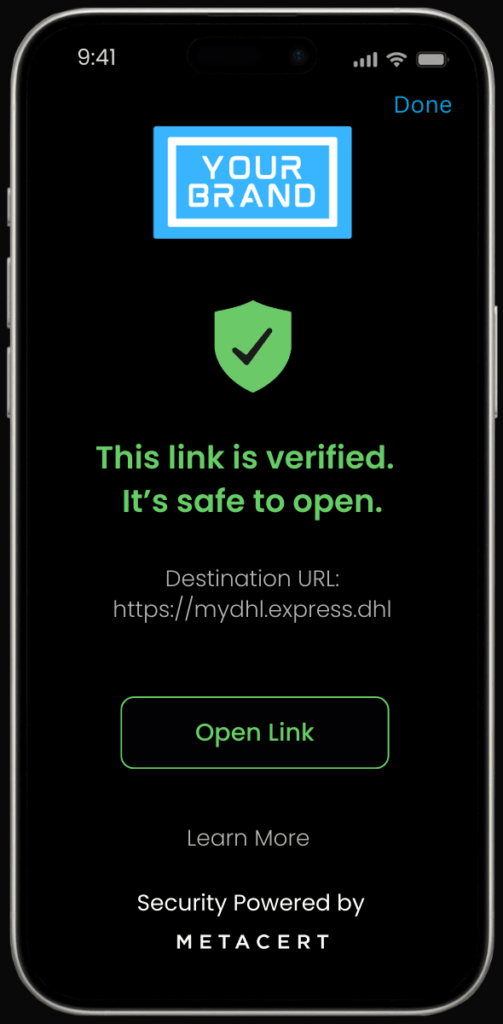
Link Verifier confirms it’s legitimate, removing doubt before it’s deleted

iPhone screen showing a link verification result with a green shield stating the link is verified and safe to open, branded with “Your Brand.”

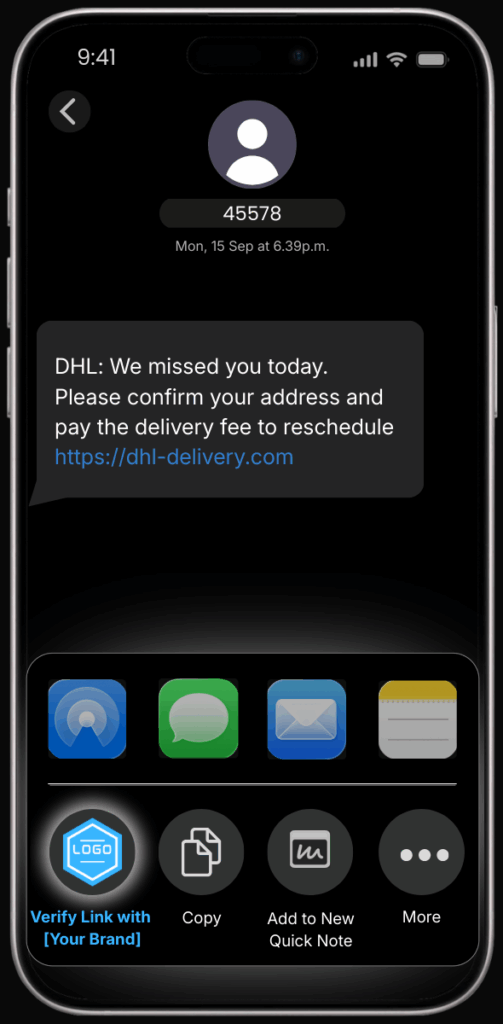
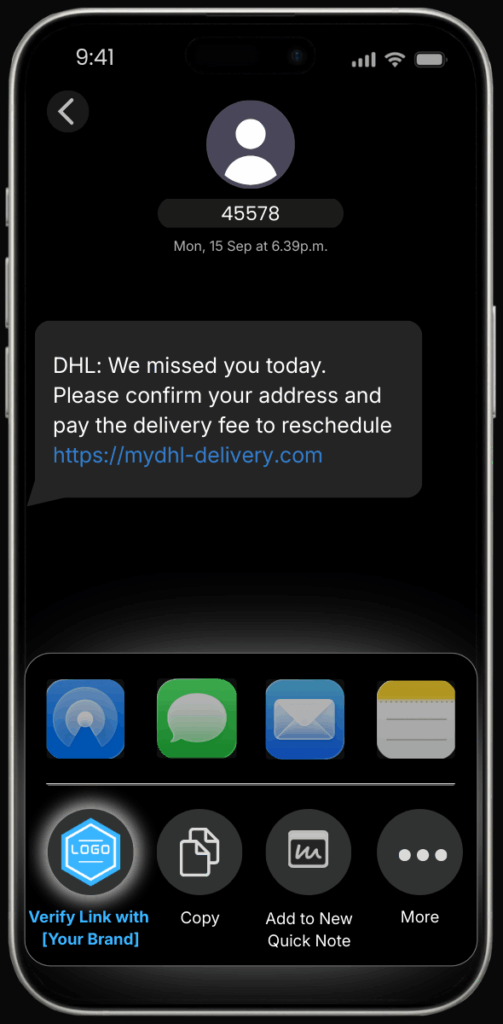
Some people trust messages like this because the link looks safe

SMS phishing message claiming to be from DHL with a delivery link and the iOS share menu open to verify the link.

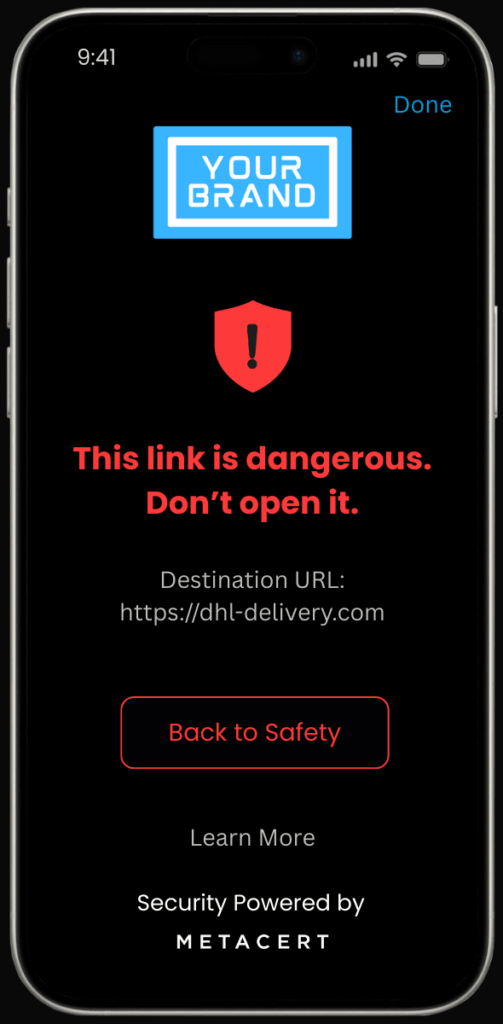
Link Verifier flags it as dangerous
before harm can be done

Mobile security screen showing a branded warning that a link is dangerous and shouldn’t be opened.

Give customers certainty when links are classified as dangerous

Protecting people from known threats is the easy part. Any security vendor can do that. But MetaCert is the first and only company to deliver a security service that lives inside every app where people face fraud, malware, and targeted phishing attacks.

Link Verifier is the only service on the market that makes it fast and simple for people to check suspicious links before opening them, stopping harm before it starts.

Protect customers from every new phishing scam, even when they haven't been reported yet

Every other security solution assumes new scam links are safe until they’re proven dangerous.

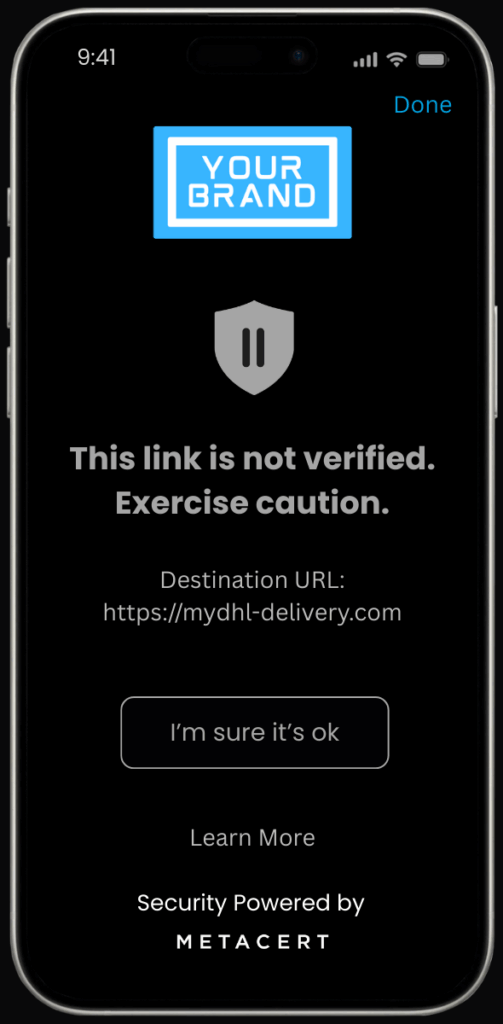
When Link Verifier shows a link as unverified, even if it appears to come from a trusted organisation, it’s a clear signal to pause.

You can now prove you did everything you could to protect customers from fraud and phishing attacks.

Some people would normally trust this link based on how it looks

iPhone Messages screen showing a text from number 45578 claiming to be DHL with a delivery notice and a web link, with the iOS share menu open and a branded link verification option visible.

Link Verifier is the only effective way to protect people from new phishing scams

iPhone screen showing a link verification result stating a link is not verified, with a pause shield icon and a caution message, branded with “Your Brand.”

Works everywhere

Integrating MetaCert into your mobile app gives customers a system-level Link Verifier that works across every app on their phone, including apps they install in the future.

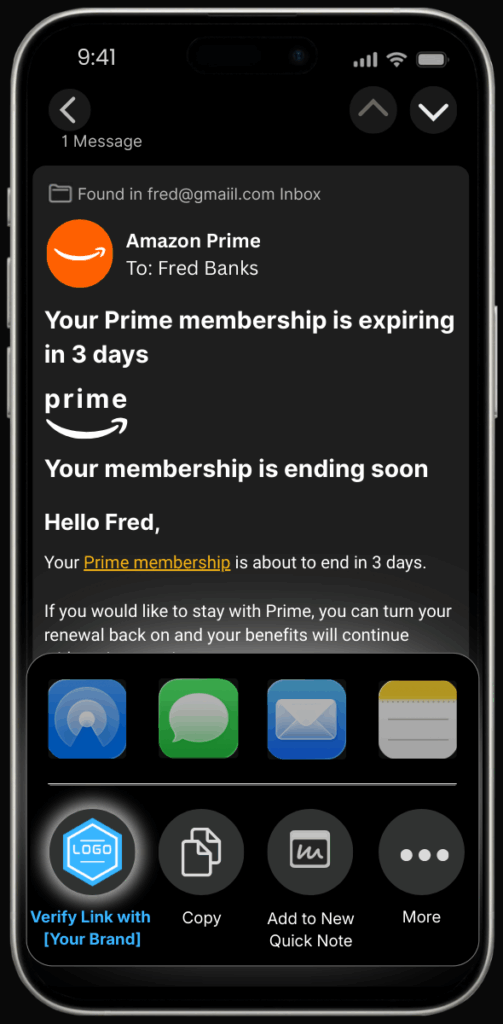
Email Protection

Apple Mail, Gmail, Outlook, & More

iPhone screen showing a Gmail message from Amazon Prime about a membership expiring in 3 days, with the iOS share menu open and a branded link verification option visible.

Social & Business Apps

Discord, Telegram, Twitter, & More

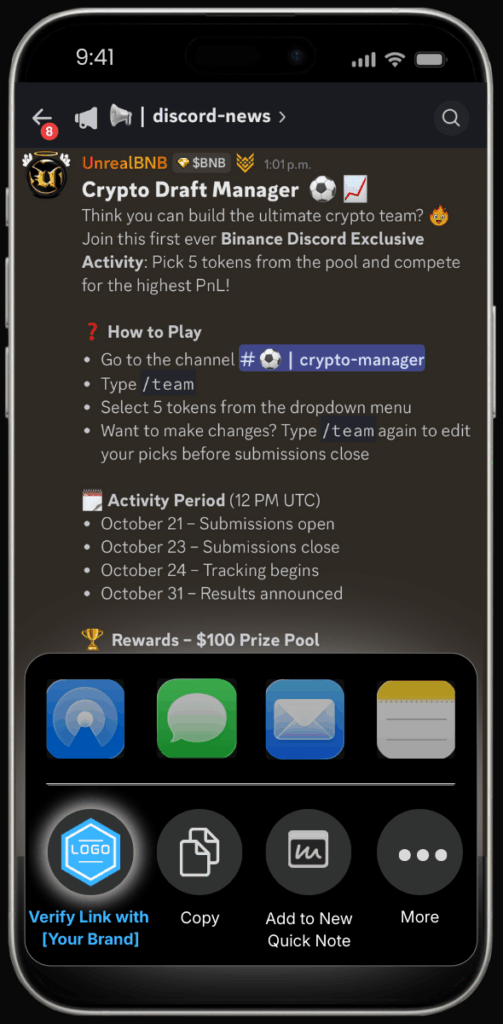
iPhone screen showing a Discord channel post about a crypto draft manager activity, with the iOS share menu open and a branded link verification option visible.

Browsers & Search Engines

Safari, Chrome, Brave, & More

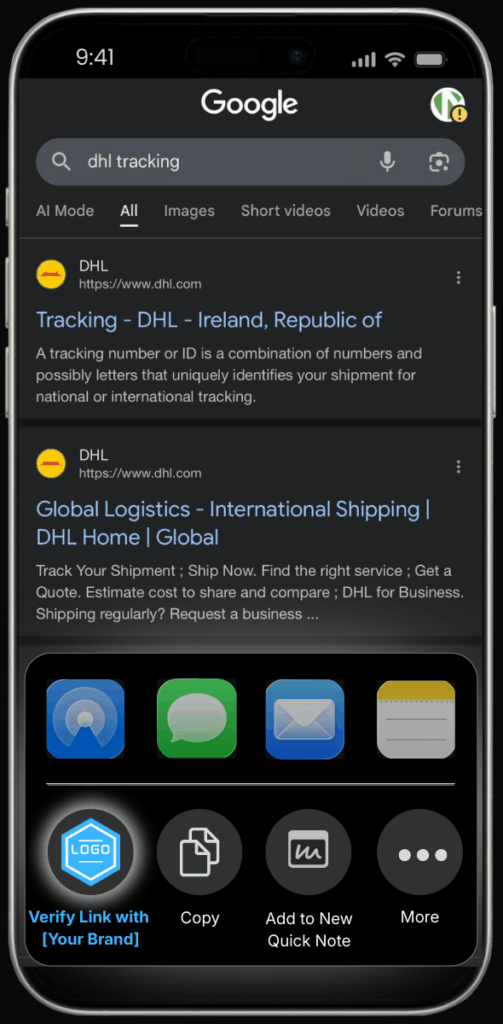
iPhone screen showing Google search results for “dhl tracking,” with DHL listings visible and the iOS share menu open with a branded link verification option.

FAQ

Most frequent questions and answers

Zero Trust means nothing is trusted by default. It’s a security model built on the idea that every person, app, device, network connection, and web link must be verified before it’s allowed. MetaCert pioneered this concept for web links, and to the best of our knowledge, no other security vendor offers a Zero Trust strategy for web links yet.

Instead of assuming a link is safe because it looks familiar or comes from a known source, Link Verifier treats every link as untrustworthy until it’s verified as legitimate. This removes the need for people to guess, scan, or rely on reputation scores.

When you choose “Verify Link with MetaCert,” the link is checked against a verified record of legitimate websites, login pages, apps, and social media accounts in real time, before you fall for an impersonator. If it’s confirmed, you’ll see that it’s legitimate. If it’s not verified or is known to be fraudulent, you’ll know instantly before opening it.

For the past 20 years, security systems have relied on databases of known dangerous links, reputation scores, and more recently, machine learning and AI models that try to predict what might be unsafe. They only work after a threat has already been found and reported, which means new or unknown links still get through, or when AI happens to pick up signals from the easier scams.

MetaCert is the first and only company to offer a Zero Trust approach to web links, bringing the world the first major upgrade to phishing protection in two decades. Link Verifier doesn’t try to guess what’s dangerous and doesn’t need prior knowledge of dangerous links. It checks whether a link has been verified as legitimate. Every link is treated as untrustworthy until it’s proven to belong to the real organisation it claims to represent.

When you tap “Verify Link with MetaCert,” you’re not asking if a link looks suspicious, you’re confirming that it’s authentic.

No. Link Verifier only works when you decided to verify the safety of a link.

Yes.

Please note that Apple doesn’t display the share menu inside iMessage so it isn’t possible to check links before opening them. That said, when you install Link Verifier it also adds a shield beside your Safari address bar. This still protects you before any harm can occur. The shield turns green for verified URLs, grey for unverified ones, and any link classified as dangerous is redirected to a warning page.

No. But…

When you install Link Verifier from the App Store, the app adds two protections to your iPhone. These are installed automatically through normal iOS permission prompts.

First it adds Link Verifier to the system Share Sheet. This is the menu you see when you press and hold any link inside most apps. You can tap Link Verifier to check a link before opening it. It is fast and simple, and works across SMS, email, chat apps, social media, QR code scans, and browsers.

Second it installs the MetaCert Safari Web Extension. This is the quiet layer of protection that helps people who sometimes forget or don’t want to check every link. When you open a site in Safari, the extension shows a small shield beside the address bar.

• A green shield means the link has been verified
• A grey shield means the link is unverified
• A red shield means the link is classified as dangerous and will be redirected to a warning page

This creates a second line of defence. Even if you forget to check a link before opening it, Link Verifier still protects you at the moment the page tries to load.

It feels natural and adds confidence to your everyday browsing without asking you to change how you use your phone.

When a bank, payment company, or mobile operator, or other company adds MetaCert’s SDK to their existing mobile app, Link Verifier becomes available to every customer who installs or updates that app. Nothing else is required from the customer. There are no new settings, no separate installations, and no permissions beyond what the banking app already uses.

The SDK doesn’t change the bank’s app. It simply packages Link Verifier so the operating system can install it on behalf of the bank. This allows Link Verifier to appear inside the native Share Sheet on iOS and the system Share menu on Android. These are the menus people already use when they copy or share a link inside any app on their phone.

It works everywhere you can open or share a link, including messages, email, chat apps, browsers, and QR code scanners. There’s nothing extra to install or configure. Once you download MetaCert, Link Verifier automatically appears in the share menu of every app on your phone, and any new app you install will have it too.

Once the SDK is included in the bank’s app:

iOS automatically installs MetaCert’s Share Extension the moment the customer updates or installs the bank’s app. The extension then appears inside the system Share Sheet beside options like Copy Link, Messages, Mail, WhatsApp, and more.

Android automatically registers MetaCert’s Share Target, making it available in the native Share menu across all apps.

This means every customer instantly sees Link Verifier as an action they can use in any app they already rely on every day including SMS, RCS, email apps, Messenger, WhatsApp, Instagram, Facebook, TikTok, Chrome, Safari, QR scanners, and more.

Customers don’t need to learn a new interface. They simply long press or select Share, choose Link Verifier, and receive a verification result in seconds.

If your team needs help

MetaCert provides full support for product, engineering, fraud, security, legal, and compliance teams to ensure integration is simple and policy ready.

For a walkthrough, technical briefing, or pilot discussion, please contact MetaCert and we’ll support your team directly.

Feel free to contact us here: hello@metacert.com

Yes. When a financial institution or business integrates MetaCert, their branding can appear throughout the experience, including the share menu option and the verification result page that customers see after checking a link.

For example, instead of “Verify Link with MetaCert,” customers might see “Verify Link with [Bank Name].” The result page can also display the organisation’s logo and colours, reinforcing trust each time someone checks a link.

This makes security visible in a positive way. Customers feel protected by the brand they already trust, while the business strengthens its reputation every time someone verifies a link.

If a customer forgets to check a link, Link Verifier still protects them because two protections are installed automatically.

First, the Share Sheet extension lets people check any link inside any app with two taps. This is the proactive step, but we know people do not always remember to use it.

Second, the Web Extension is installed at the same time. This is the safety net. When someone opens a link in Safari, the extension evaluates the page before it loads. A green shield appears for verified links, a grey shield for unverified ones, and any link classified as dangerous is redirected to a warning page.

So even if a customer forgets to check a link, Link Verifier steps in at the moment the page opens, giving them a second line of defence.

No. MetaCert never reads, stores, or accesses your messages, emails, or web pages. Link Verifier only checks the link you choose to verify, and nothing else.

When you tap “Verify Link with MetaCert,” the link itself is sent securely to MetaCert’s verification system. The system checks whether that link has been verified as legitimate, unverified, or known to be fraudulent, and then returns the result instantly.

Everything happens in real time, and no personal data, content, or message history is ever collected or stored.

At MetaCert, our focus is data. We verify web links by confirming which ones truly belong to legitimate organisations. This is what defines us and why Link Verifier works differently from anything else. Instead of trying to detect every dangerous link on the internet, we focus on verifying the real ones that matter most.

It’s far easier and more effective to confirm legitimate PayPal websites, for example, than to chase the tens of thousands of fake ones pretending to be PayPal. That principle allows us to verify at scale while traditional detection systems struggle to keep up.

We don’t aim to verify the entire internet. We prioritise the brands and organisations most often impersonated and most likely to request logins, payments, or software installs. When we work with companies that want to protect their employees or customers, they can submit the websites and services that matter most to them for immediate verification.

Yes. It’s available as a mobile app that allows people to check any link they receive, whether it comes through a text message, email, chat app, browser, or QR code.

While banks, telecom providers, and other organisations can integrate Link Verifier directly into their apps, individuals can install it themselves to protect their own phones. Once it’s installed, every app on the device instantly has access to “Verify Link with MetaCert,” making it easy for anyone to check a link before they trust it.

Contact

For any inquiries please email