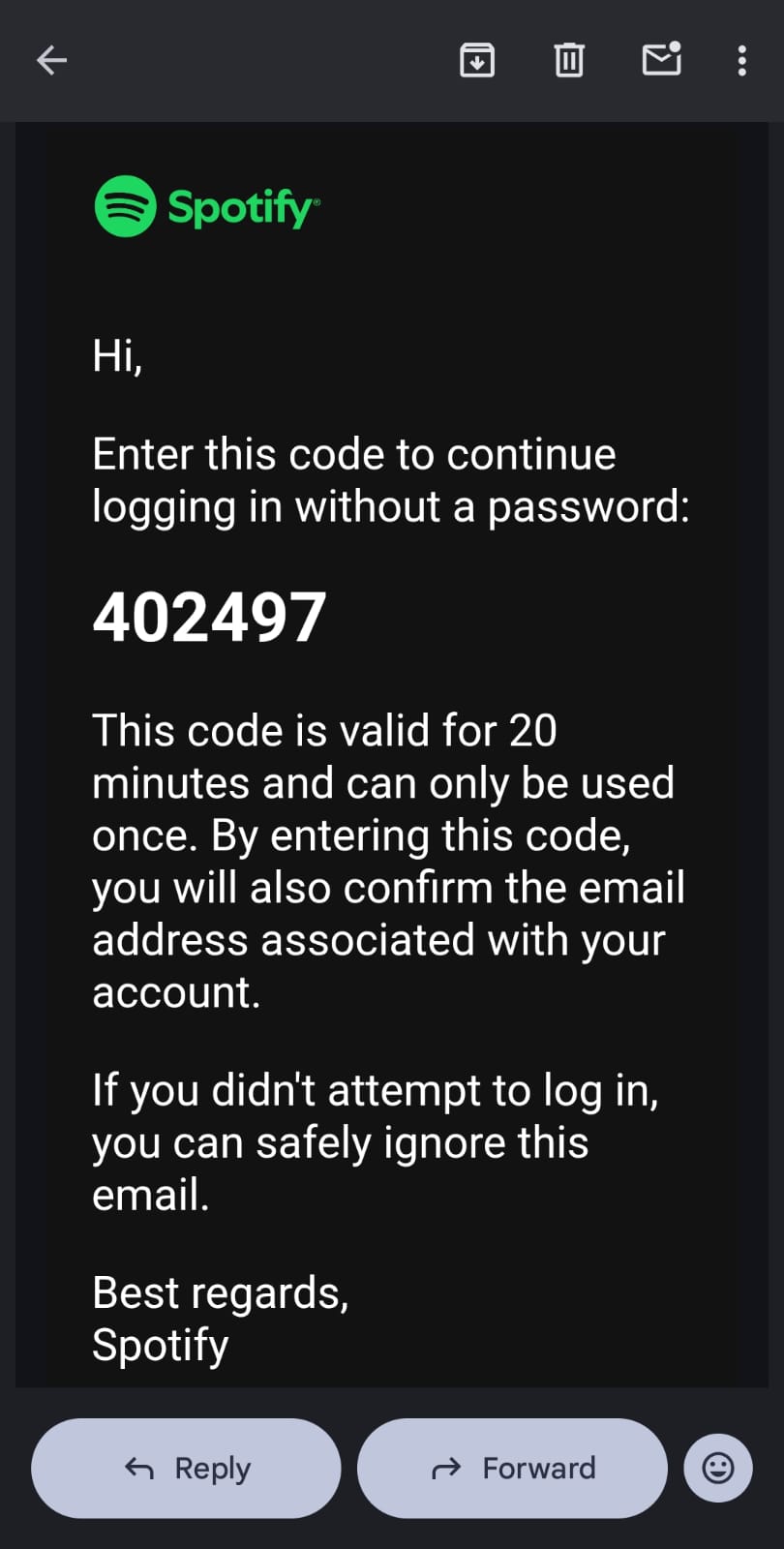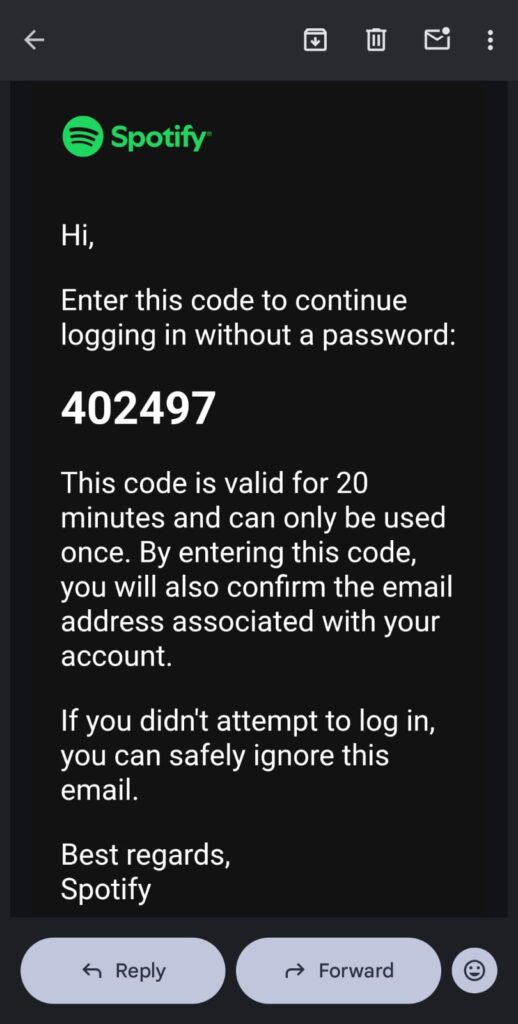
Email from Spotify showing a one time login code for passwordless sign in.

Authorisation Code Abuse Is a Major Account Takeover Vector

This is an account takeover attack that bypasses phishing detection, malware controls, and authentication safeguards. It exploits legitimate authorisation workflows exactly as designed. There is currently no technical control that reliably prevents it. Awareness is the only effective defence.

Some referring to this as “device code phishing” but I don’t think that’s technically correct. Phishing is best defined as the impersonation of a trusted organisation or individual. This type of attack doesn’t necessarily involve any form of impersonation at all.

I wanted to get this out quickly rather than wait, because this is a real attack that doesn’t get enough attention and it nearly caught me out recently.

If you receive any prompt asking you to authorise access to an app or service that you didn’t personally start, don’t approve it. That includes legitimate emails, texts, pop ups on your phone, browser messages, TV screens, or notifications from trusted brands like Apple, Netflix, Spotify, Microsoft Teams, or similar services.

🚨 I can’t stress this enough – these are legitimate authorisation codes from legitimate sources.

This is a real and increasingly common attack. It doesn’t rely on malware, phishing links, fake websites, or malicious apps. It relies on social engineering and a legitimate authentication flow that was never designed for hostile use. I believe this exposes a serious design flaw in one of the most widely used account authentication processes in the world.

I only became aware of this vector recently after a member of the MetaCert community flagged it to me on Telegram. Once I looked into it, I realised how easy it is to miss and how dangerous it can be. I almost approved one of these requests myself over the past month.

Here’s how it works in plain English.

Many services let you sign in on one device by approving access on another device where you’re already logged in. This is common on smart TVs, game consoles, and business tools. Instead of typing a username and password, you’re shown a code or QR code. You confirm it on your phone or computer, and the other device is instantly logged in.

That workflow is legitimate. The problem is how easily it can be abused.

An attacker initiates a login on their own device and the service generates a valid authorisation code. At that point, the code isn’t linked to any account. The attacker then persuades someone else to approve it by presenting the code through a message, meeting invite, or notification that looks routine or time sensitive. When a legitimate user approves the request, the service assigns the code to that user’s account and immediately grants the attacker access.

This scales frighteningly well. An attacker can send the same code to hundreds or thousands of people. They only need 1 approval. If that person works at a bank, tech company, or government organisation, the attacker can gain internal access immediately.

This is what makes it dangerous. Nothing looks wrong because the code is valid and the request comes from a real service delivered through a real text, email, or system prompt. There’s no fake page to inspect and no link to question. The system behaves exactly as it was designed to.

There’s no security service that can reliably protect people from this attack because there’s nothing to detect. Every message is legitimate. Every authorisation request is legitimate. From a security perspective, the system is working exactly as intended.

That’s what makes this so difficult to grasp. This isn’t a vulnerability with a missing control or a better detection model waiting to be built. It’s a structural flaw in how one of the most widely used authentication flows works. No future security product can sit on top of it and magically fix it.

From a technical standpoint, the only real mitigation would be a fundamental redesign of how device pairing and authorisation works across major platforms, operating systems, and streaming services. That would require coordinated change at global scale.

Given how entrenched these flows are, that redesign is unlikely to happen, no matter how serious the risk is. The practical reality is that awareness is currently the only defence, which is a deeply uncomfortable place for security to be.

So the rule is simple.

✋ If you didn’t personally start a login or pairing process, don’t approve anything. Don’t enter a code. Don’t tap allow. Don’t scan a QR code. Even if the request appears inside a trusted app or operating system.

There is someone on the other end waiting for approval.

This isn’t phishing, but it is social engineering, and it’s extremely effective because it exploits trust in familiar workflows. I’ll publish a more detailed breakdown soon, including why this model is flawed by design and what needs to change. For now, this single rule will keep you safe.

Leave a Reply

Your email address will not be published. Required fields are marked *

Stay informed with MetaCert’s latest updates, expert analysis, and real examples exposing how digital deception works and how it can be stopped.

Email from Spotify showing a one time login code for passwordless sign in.

Authorisation Code Abuse Is a Major Account Takeover Vector

This is an account takeover attack that bypasses phishing detection, malware controls, and authentication safeguards. It exploits legitimate authorisation workflows exactly as designed. There is currently no technical control that reliably prevents it. Awareness is the only effective defence.

Some referring to this as “device code phishing” but I don’t think that’s technically correct. Phishing is best defined as the impersonation of a trusted organisation or individual. This type of attack doesn’t necessarily involve any form of impersonation at all.

I wanted to get this out quickly rather than wait, because this is a real attack that doesn’t get enough attention and it nearly caught me out recently.

If you receive any prompt asking you to authorise access to an app or service that you didn’t personally start, don’t approve it. That includes legitimate emails, texts, pop ups on your phone, browser messages, TV screens, or notifications from trusted brands like Apple, Netflix, Spotify, Microsoft Teams, or similar services.

🚨 I can’t stress this enough – these are legitimate authorisation codes from legitimate sources.

This is a real and increasingly common attack. It doesn’t rely on malware, phishing links, fake websites, or malicious apps. It relies on social engineering and a legitimate authentication flow that was never designed for hostile use. I believe this exposes a serious design flaw in one of the most widely used account authentication processes in the world.

I only became aware of this vector recently after a member of the MetaCert community flagged it to me on Telegram. Once I looked into it, I realised how easy it is to miss and how dangerous it can be. I almost approved one of these requests myself over the past month.

Here’s how it works in plain English.

Many services let you sign in on one device by approving access on another device where you’re already logged in. This is common on smart TVs, game consoles, and business tools. Instead of typing a username and password, you’re shown a code or QR code. You confirm it on your phone or computer, and the other device is instantly logged in.

That workflow is legitimate. The problem is how easily it can be abused.

An attacker initiates a login on their own device and the service generates a valid authorisation code. At that point, the code isn’t linked to any account. The attacker then persuades someone else to approve it by presenting the code through a message, meeting invite, or notification that looks routine or time sensitive. When a legitimate user approves the request, the service assigns the code to that user’s account and immediately grants the attacker access.

This scales frighteningly well. An attacker can send the same code to hundreds or thousands of people. They only need 1 approval. If that person works at a bank, tech company, or government organisation, the attacker can gain internal access immediately.

This is what makes it dangerous. Nothing looks wrong because the code is valid and the request comes from a real service delivered through a real text, email, or system prompt. There’s no fake page to inspect and no link to question. The system behaves exactly as it was designed to.

There’s no security service that can reliably protect people from this attack because there’s nothing to detect. Every message is legitimate. Every authorisation request is legitimate. From a security perspective, the system is working exactly as intended.

That’s what makes this so difficult to grasp. This isn’t a vulnerability with a missing control or a better detection model waiting to be built. It’s a structural flaw in how one of the most widely used authentication flows works. No future security product can sit on top of it and magically fix it.

From a technical standpoint, the only real mitigation would be a fundamental redesign of how device pairing and authorisation works across major platforms, operating systems, and streaming services. That would require coordinated change at global scale.

Given how entrenched these flows are, that redesign is unlikely to happen, no matter how serious the risk is. The practical reality is that awareness is currently the only defence, which is a deeply uncomfortable place for security to be.

So the rule is simple.

✋ If you didn’t personally start a login or pairing process, don’t approve anything. Don’t enter a code. Don’t tap allow. Don’t scan a QR code. Even if the request appears inside a trusted app or operating system.

There is someone on the other end waiting for approval.

This isn’t phishing, but it is social engineering, and it’s extremely effective because it exploits trust in familiar workflows. I’ll publish a more detailed breakdown soon, including why this model is flawed by design and what needs to change. For now, this single rule will keep you safe.

Leave a Reply

Your email address will not be published. Required fields are marked *

Stay informed with MetaCert’s latest updates, expert analysis, and real examples exposing how digital deception works and how it can be stopped.

Recent blog posts